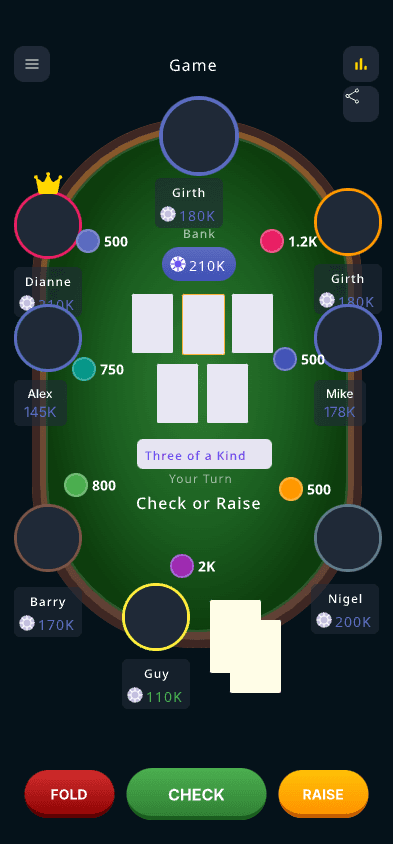
The best poker tracker depends on your game. Bankroll apps log sessions after the fact; live chip trackers run the table while you play; HUD software analyzes online hands. This guide compares the leading free options for live and home-game players — what each one does, what the free tier includes, and whether your friends need to install anything.
Bankroll apps ask you to type in buy-ins and results after the session — useful for analytics, but nothing happens at the table. A live tracker like PokerChip.live replaces the chips themselves: stacks, blinds, pots, and settlement update in real time while you play, and your session history falls out automatically.
Compare friction, not feature lists
Home-game tools win when the first player can create a room and everyone else can join without installing anything. Every app-store tracker fails that test for the guest with a full phone or an old OS; a browser link works on all of them.
Watch the free-tier limits
Several popular trackers cap free usage — session limits, locked graphs, or paid exports. Check what happens after week three of a weekly game before your group standardizes on a tool.
HUD software is a different category
PokerTracker 4 and Hold'em Manager analyze online hand histories for real-money grinders. They are powerful but irrelevant to live home games — you cannot import hands that happened on your kitchen table.
Look for social loops
Shareable results, standings, and rematch links make a tracker more likely to bring players back. Recurring groups get the most value from tools with club history rather than solo logs.
FAQ
Questions about best free poker tracker apps
01
What is the best free poker tracker app for home games?
For live digital chip tracking, PokerChip.live is a strong choice. For bankroll-only analytics, a dedicated bankroll tracker may fit better.
02
Do poker tracker apps need downloads?
Some do, but PokerChip.live works in the browser.
03
What should home-game hosts compare?
Compare setup speed, player joining, settlement, privacy, live sync, and whether players will actually use it at the table.
04
Is free enough for recurring games?
Free features are often enough to start. Recurring groups may later care more about history, exports, and advanced stats.
05
Can I use multiple tools?
Yes. Some groups use one tool for live chip tracking and another for deep bankroll analysis.
Ready to run the next poker night?
Create a free room, invite players, track live stacks, and share the final result when the game ends.